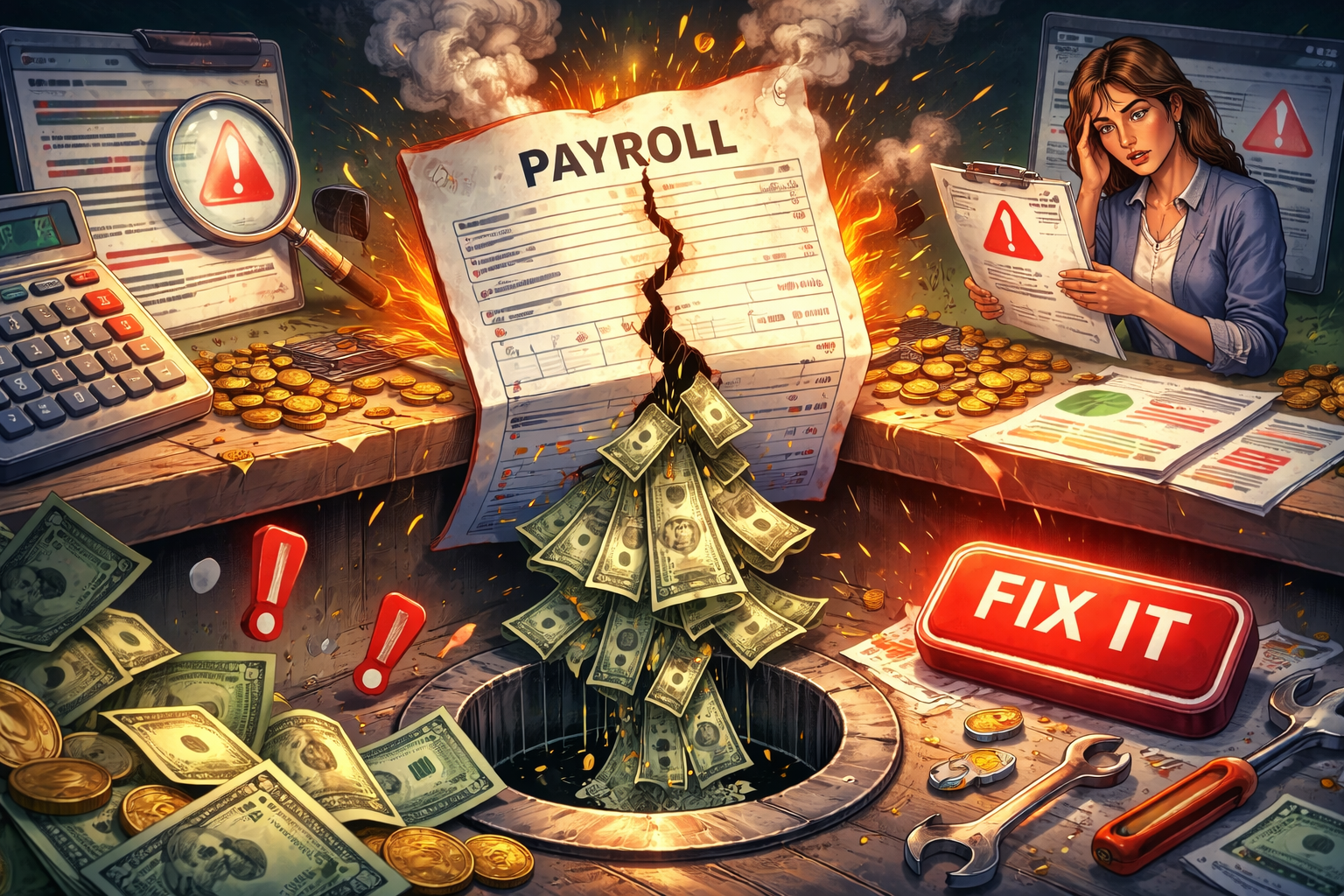
Payroll Isn’t Just Payroll in Construction
In most industries, payroll is a back-office function. It runs quietly in the background. Employees get paid. Taxes are filed. Life moves on.
Construction is different
In construction, payroll isn’t just about paying people. It’s about job cost accuracy, union compliance, certified, reporting, burden calculations, forecasting, and ultimately profitability. Payroll feeds job cost. Job cost feeds WIP. WIP feeds forecasting. Forecasting feeds executive decision-making.
So when payroll breaks inside CMiC, it’s not just inconvenient.
It’s dangerous.
We’ve seen it too many times. A company goes live with CMiC. Payroll seems “mostly” correct. a few fringe rules are off. A burden rate is slightly misconfigured. A union table wasn’t fully validated. Nothing catastrophic at first.
Then three months later:
- Labor isn’t hitting the right cost categories.
- Job profitability looks inflated, or worse, understated.
- Certified payroll reports don’t reconcile.
- The GL doesn’t tie out.
- The CFO starts asking uncomfortable questions.
And suddenly, The ERP system everyone was excited about becomes the scapegoat.
Here’s the truth: CMiC payroll isn’t broken. It’s just complex. And complexity without expertise leads to errors.
This article is about pulling back the curtain on those hidden payroll costs, the ones that don’t show up immediately but quietly erode margins and confidence, and showing you exactly how to fix them.
Because in construction, payroll isn’t overhead.
it’s the engine.
Why Payroll Drives Job Profitability
Let’s talk numbers.
For most construction firms, labor is one of the largest cost components of any job. In self-perfom environments, it can represent 30-50% of total project cost. That means even small payroll inaccuracies can significantly distort job performance.
Think about it this way.
if:
- A fringe benefit isn’t allocated correctly
- A burden isn’t applied to the right cost code
- An employee is mapped to the wrong union local
- Overtime rules aren’t configured properly
Then your labor costs aren’t accurate.
And if your job costs aren’t accurate, neither is your job cost report.
And if your job report isn’t accurate, your forecasting is fiction.
Thant’s how small payroll mistakes quietly grow into strategic problems.
Payroll inside CMiC touches:
- Employee classifications
- Union agreements
- Prevailing wage rates
- Certified payroll compliance
- Multi-state tax rules
- Burden allocation
- GL integration
- Job cost categories
- Revenue recognition inputs
That’s not “just payroll”. That’s financial infrastructure.
When payroll is configured correctly, something powerful happens:
- PMs trust their labor reports.
- Controllers trust their GL.
- CFOs trust forecasting.
- Field teams get paid correctly and on time.
But when it’s configured poorly? Every department feels it.
Payroll accuracy isn’t optional. It’s foundational.
The Ripple Effect of Small Payroll Mistakes
Let’s zoom in on something subtle.
Most payroll failures don’t explode immediately. They leak.
A fringe percentage is slightly off. No one notices at first.
A burden isn’t hitting the right cost category. It’s close enough.
A union setup misclassifies one classification rate. It’s minor.
but over weeks and months?
That “small” error compounds across:
- Hundreds of employees
- Thousands of labor hours
- Dozens of projects
- Multiple reporting cycles
Now your WIP is off by hundreds of thousands.
Your forecasting assumptions are skewed.
Your labor productivity metrics are unreliable.
and the cleanup? It’s painful.
You can’t just “fix it going forward”.. You have to:
- Identify when the issue started
- Recalculate historical labor distributions
- Adjust GL entries
- Communicate corrections
- Reconcile certified payroll submissions if needed
This is why payroll errors are so expensive.
No because they happen.
But because they hide.
The ripple effect moves from Payroll > Job Cost > GL > WIP > Forecast > Executive Decisions.
By the time leadership sees the problem, it’s already deep in the system.
And that’s why proactive payroll configuration, and on-going validation, is non-negotiable in CMiC.
Why CMiC Payroll is More Complex Than Most Teams Expect
If you’ve ever heard someone say, “Payroll is just setup”, they probably haven’t implemented CMiC in a construction environment.
CMiC payroll is built to handle:
- Multi-union agreements
- Multiple pay groups
- Complex fringe structures
- Multi-state tax jurisdicitions
- Certified payroll reporting
- Burden distribution rules
- Retroactive adjustments
- ESS integrations
- CrewTime inputs
- GL and job cost mapping
That’s powerful.
But power without precision becomes risk.
Must companies underestimate complexities in three areas:
- Union configuration
- Burden and fringe setup
- Labor-to-job cost integration
They assume their legacy logic will transfer directly. It rately does.
CMiC requires deliberate mapping, careful testing, and experienced validation.
Without it, the system will technically “run” but it won’t run correctly.
and that’s where problems begin
Multi-Union and Multi-State Realities
If you operate in multiple states or across multiple union locals, payroll complexity multiplies fast.
Each union agreement may include:
- Different base wage rates
- Unique fringe percentages
- Separate benefit funds
- Pension requirements
- Health & welfare allocations
- Vacation and training funds
- Overtime rules
- Double-time triggers
- Shift differentials
Now layer that in multi-state tax rules:
- State income tax variations
- Reciprocity agreements
- Local municipality taxes
- Unemployment rates
- Workers’ comp differences
And then add certified payroll reporting requirements for public jobs.
It’s no longer just payroll.
It’s regulatory engineering.
CMiC can absolutely handle this complexity, but only if union tables, pay groups, rate structures, and burden mappings are configured correctly from the start.
Where companies get into trouble:
- Copying union local from spreadsheets without validating edge cases
- Forgetting to map fringes to the correct cost categories
- Not testing overtime calculations across different jurisdictions
- Overlooking reciprocity rules for out-of-state workers
And here’s the big one:
Assuming payroll is “close enough” because checks look correct.
A paycheck might look right, but that doesn’t mean job cost distribution is.
Payroll compliance and job profitability must both be accurate. CMiC forces you to get both right.
Fringe Benefits, Burdens, and Certified Reporting
Fringes and burdens are where we see the most silent errors.
Fringes may include:
- Health & welfare
- Pension
- Annuity
- Apprenticeship
- Training Funds
- Vacation Funds
- Supplemental unemployment
Burdens may include:
- Worker’s comp
- General Liability
- FICA
- FUTA/SUTA
- Insurance allocations
If these aren’t mapped correctly:
- Labor hits the wrong cost codes
- Overhead gets misallocated
- Certified payroll reports don’t reconcile
- GL postings become inconsistent
And here’s what makes it tricky:
- Some fringes are paid to employees.
- Some are paid to third-party funds.
- Some are taxable.
- Some are not.
- Some apply only to specific classifications.
If even one of these rules is off, your labor cost integrity breaks.
Certified payroll reporting adds another layer. Public jobs require detailed wage transparency. If classifications, rates, or allocations are wrong, you’re not just dealing with internal cleanup, you’re dealing with compliance risk.
That’s not a place where you want to be.
The True Cost of Payroll Errors
Let’s quantify what payroll mistakes actually cost.
Financial Cost: Penalties, Rework, and Margin Erosion
- Union penalties for incorrect fringe submissions
- State tax fines
- Manual reprocessing time
- Consulting fees for emergency fixes
- Overstated or understated job margins
Even a 1% labor misallocation across a $100M contractor can mean significant margin distortion.
That’s not rounding error
That’s strategic impact.
Operational Cost: Distrust and Manual Workarounds
When payroll isn’t trusted:
- PMs export data into Excel
- Controllers build shadow reports
- Payroll teams create side spreadsheets
- Field teams question deductions
The ERP becomes optional
And when your ERP becomes optional, your investment loses power.
Strategic Cost: Broken Forecasting and Bad Decisions
If labor costs are wrong:
- Forecasts are unreliable
- WIP schedules are distorted
- Revenue recognition assumptions are flawed
- Cash flow projections are off
Executives make decisions based on numbers they believe are accurate.
If payroll is unstable, those decisions rest on shaky ground.
How Labor Costing and Payroll Are Tied Together in CMiC
This is where many teams miss the connection.
Payroll doesn’t just produce paychecks. It feeds labor directly into job cost.
Every hour worked must map correctly to:
- Job
- Cost code
- Category
- Phase
- Burden allocation
- GL account
If mapping is off:
- Labor may hit overhead instead of direct cost
- Burdens may not distribute correctly
- Forecasting tools may miss real labor trends
And because CMiC integrates modules tightly, payroll issues bleed directly into financial reporting.
You can’t separate them.
That’s why payroll stabilization and job cost validation must happen together.
The Most Common CMiC Payroll Setup Mistakes
After years of implementations and rescue projects, these how up repeatedly:
1️⃣ Incorrect Union Tables
Rates slightly off. Fringe percentages misapplied. Overtime triggers misconfigured.
2️⃣ Misconfigured Burdens
Insurance and tax burdens mapped incorrectly to cost categories.
3️⃣ Improper GL Mapping
Payroll hits unexpected accounts, making reconciliation painful.
4️⃣ Incomplete YTD Conversions
Year-to-date balances imported incorrectly during system transitions.
None of these are catastrophic on Day 1.
All of them become catastrophic over time.
Parallel Payroll Testing: The Step Most Companies Skip
If you take one action from this article, let it be this:
Run parallel payroll.
That means processing payroll in CMiC while still running your legacy system, and reconciling results.
Compare:
- Net pay
- Tax withholdings
- Fringe distributions
- Burden allocations
- Job cost postings
- GL impact
It’s extra work upfront.
But it prevents months of post-go-live repair.
Companies skip this because of time pressure.
Then they pay for it later.
Cleaning Up a Broken Payroll System
Already live and struggling?
Start here:
- Audit union and fringe configurations
- Reconcile payroll-to-GL mapping
- Validate burden allocations
- Compare labor distribution reports to job cost reports
- Identify when errors began
- Correct prospectively and adjust historically where necessary
Stabilization takes discipline, but it’s absolutely achievable.
Optimizing Payroll for Long-Term Stability
Once stable, optimize.
- Standardize time entry processes
- Automate approvals
- Train field users properly
- Build payroll dashboards
- Schedule quarterly audits
Payroll health shouldn’t be reactive.
It should be monitored.
Visibility creates confidence.
Real-World Case Study: From Payroll Chaos to Confidence
One $600M contractor came to us six months post-go-live.
Symptoms:
- Payroll processed weekly, but labor costing was inconsistent
- Union fringes weren’t allocating properly
- GL tie-outs required manual adjustments
- Certified payroll reporting required heavy spreadsheet manipulation
We conducted a full payroll audit.
We:
- Rebuilt union tables
- Corrected fringe mappings
- Fixed burden allocation logic
- Revalidated GL integration
- Implemented structured parallel testing
Within 90 days:
- Payroll reconciled cleanly
- Labor hit jobs accurately
- Forecasting stablized
- Executive confidence returned
Payroll didn’t just improve
The entire ERP ecosystem stabilized.
How ProTek Partners Stabilizes and Optimizes CMiC Payroll
Payroll is one of our strongest differentiators.
We specialize in:
- Multi-union setups
- Multi-state compliance
- Fringe and burden optimization
- YTD corrections
- ESS and CrewTime integration
- Payroll-to-job cost validation
- Reporting and reconciliation
We don’t just configure payroll.
We validate it against job cost and financial reporting because that’s where real stability comes from.
Payroll is the Engine of Construction ERP
In construction, payroll isn’t a background taks.
It’s the engine that drives job cost accuracy, compliance integrity, forecasting reliability, and executive confidene.
When payroll works:
- Labor reports make sense
- WIP is accurate
- Forecasts are reliable
- Teams trust the system
When payroll breaks, everything downstream breaks with it
If your CMiC payroll feels unstable, inconsistent, or overly manual, it’s not something to tolerate.
It’s something to fix.
Because accurate payroll isn’t just operational hygiene.
It’s strategic infrastructure.
FAQs
1️⃣ Why does CMiC Payroll fail so often?
Because construction payroll is complex, and many implementations underestimate union, fringe, and labor costing configuration requirements.
2️⃣ How long does payroll stabilization take?
Most stabilization efforts take 60-90 days depending on severity and historical cleanup requirements.
3️⃣ Can payroll errors affect WIP?
Absolutely. Since payroll feeds job cost, incorrect labor allocations distort WIP and forecasting.
4️⃣ Should payroll be implemented first?
Yes. Payroll should be prioritized early in implementations and thoroughly tested before go-live.
5️⃣ How do you prevent payroll issues after go-live?
Quarterly audits, standardized workflows, reporting dashboards, and proactive validation keep payroll healthy long term.
Want More?
This article is part of The ProTek Blueprint — a monthly blog series helping construction firms maximize the value of their CMiC system.
Coming next month:
“Turning PCIs Into Profit: How to Use CMiC to Power Forecasting Accuracy”